Get Maisy the Crazy Pug Wallpaper for Free!
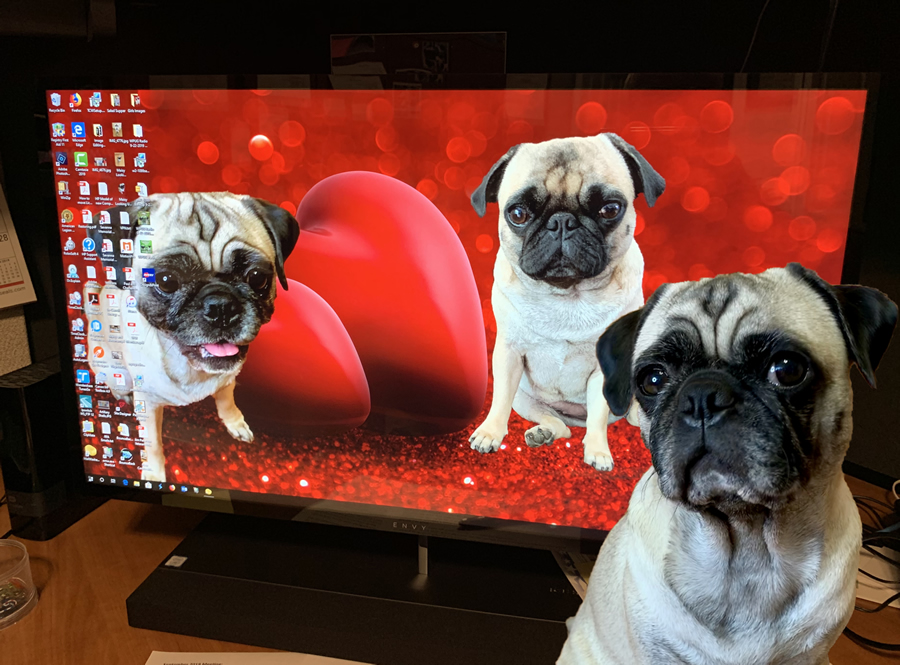
See my Daddy's Computer Screen behind me? If you want to have the same wallpaper that he has, follow the instructions below.
NOTE: These instructions are for a Microsoft Windows 10 Computer. Older versions may be different.
Note: For the iPad Wallpaper and instructions, click here.
New Holiday Wallpapers. Follow these instructions and go to this page to grab your Holiday Wallpapers. click here
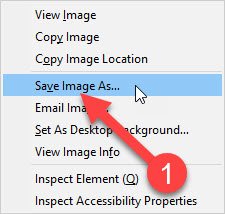
To get the image file for the Maisy the Crazy Pug and Daisy Wallpaper to your computer, "RIGHT CLICK" the screensaver image at the bottom of this page or on the Holiday Wallpapers page linked above and then from the popup menu, select Save Image As.
That will open the Save Image Dialog Window. Select Pictures as seen below to save the image file in your Pictures folder and click the Save Button to save the image on your computer in the Pictures folder.

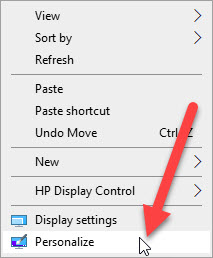
Then to make the Wallpaper display on your desktop, RIGHT CLICK on the Desktop. Then select Personalize from the pop up menu.
That will open the Personalization screen. Click Browse to open the
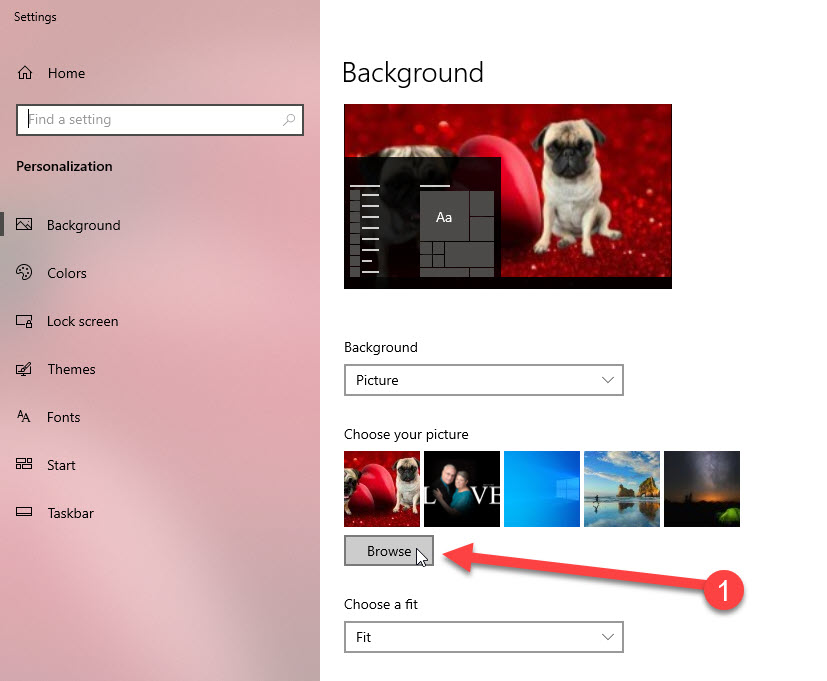
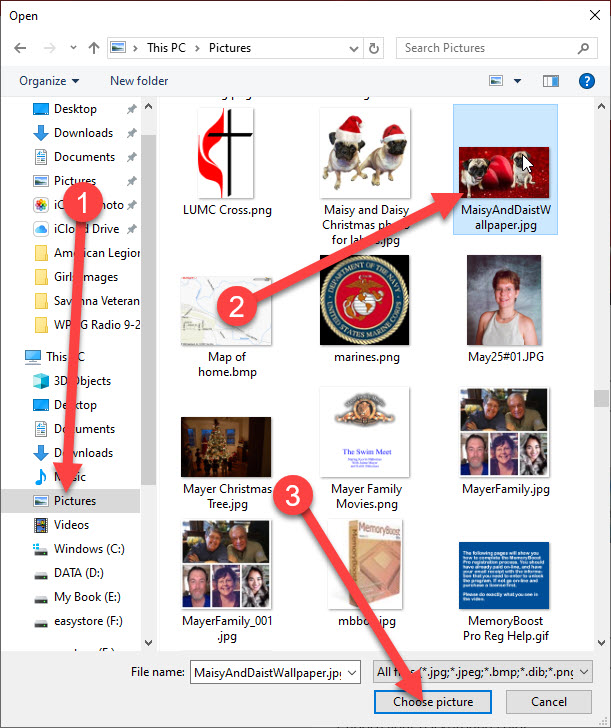
That opens the Open Dialog to select the new wallpaper image. Click Pictures, then scroll to find the saved wallpaper image which is MaisyAndDaisyWallpaper.jpg and select it and then Click Choose Picture. Then your new Wallpaper will make you smile whenever you look at your computer screen.
Below is the Screensaver Image that you will use the instructions above to save to your computer and then make it your Computer's Wallpaper.